Loading…
Features
More Than Just "Finding a Time"
Generic scheduling tools stop at the poll. Tabletop Time follows your game night from the first proposed date to the reminder a couple of hours before dice hit the table, and nobody has to make an account.
Step 1For the organizer
Set up the table in a minute
Propose a few dates, say how many players you need, and share one link. That is the whole setup.
No sign-up, ever
No account, no email, no password. Create an event and you get a private admin link to manage it.
Minimum and maximum players
Tell us you need 4 for Commander or that the table seats 6. Everything downstream (quorum, waitlist, reminders) works from these numbers.
One-shot or campaign
Planning a single night or a D&D campaign, Legacy series, or recurring group? Campaign mode schedules a run of sessions instead of one date.
Flexible time slots
Propose as many slots as you like and add, move or remove them after voting starts. Players see everything in their own time zone.
Location and details
Add a description and where you are playing, and update the location later if plans change.
Lost your link? No problem
Recover admin access with a magic link sent to your linked Telegram or Discord account. No password reset emails.
Step 2For the players
Voting that understands game night
Players open the link, type a name, and tap their availability. The app does the math on who can actually play.
Available, If Needed, No
Three answers instead of two. "If Needed" means a player can make it but would rather not, so you only lean on it when it helps.
Quorum logic
Dates that hit your minimum player count are highlighted automatically, so the viable nights stand out at a glance.
Waitlists and capacity
When a slot fills up, extra players join a first-come-first-serve waitlist and get promoted automatically if a seat opens.
Who can host?
Players can flag the nights they are able to host, so you pick a date and a table at the same time.
Suggest a time
None of the dates work? Players can propose a new slot instead of replying "none of these" in chat.
Remembers you across devices
Your browser remembers your vote, and linking Telegram or Discord keeps your events in sync on every device in My Events.
Step 3It's not real until it's on the calendar
Lock it in with one click
Pick the winning slot and a host, and the event is finalized for everyone. Each player gets Google Calendar and Outlook buttons plus a standard .ics file for Apple Calendar. No more "I forgot" excuses.
Finalize with a host
Choose the date and who is hosting in the same step.
Campaign sessions
Campaign mode groups dates by shared availability. Pick the run that fits, tick the sessions, and every one gets its own calendar buttons.
Cancellations handled
Remove a player who dropped out and the next person on the waitlist moves up automatically.
Step 4Telegram and Discord
Lives where your group already talks
Connect the Telegram bot or the verified Discord bot to your group, and the scheduling happens in the chat instead of in a link everyone forgets to open.
Pinned live tally
The bot pins a dashboard in your group that updates as votes come in. Everyone sees where things stand without clicking anything.
Nudges for stragglers
Schedule voting reminders on the days and time you choose, so you stop being the person who chases everyone.
Session reminders
Once the date is set, the bot reminds the group 2 hours, 1 day or 2 days before the game.
Announcements
New time slots and the final result are posted to the group automatically.
Private DMs
Players get the final result and waitlist promotions by direct message. Organizers get their recovery links the same way.
Your DMs, your call
Anyone can opt out of direct messages from the bot while still seeing everything in the group.
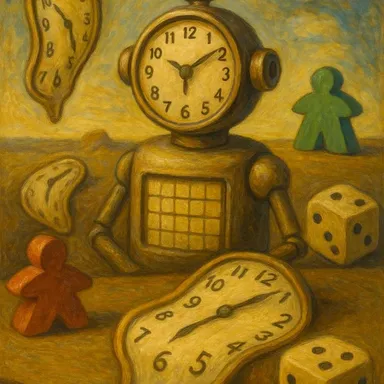
Meet the bot
This is the face that shows up in your group, on both Telegram and Discord. Once you create an event, connect it from the event's Manage page and it takes over the reminders and the chasing.
Step 5No strings attached
Free, private and yours to run
Tabletop Time is a community project, not a funnel. There is no paid tier waiting behind the good features.
No ads, no tracking
No analytics pixels, no ad networks, and no email addresses collected. We do not know who you are and we like it that way.
Open source
Every line is public on GitHub, so you can see exactly what happens to your data.
Self-host it
Run your own copy from the Docker image on a Synology, Unraid box or Raspberry Pi, with the same bots and features.
Keyboard and screen reader friendly
Every control works from the keyboard, and buttons, labels and states are announced to screen readers.
Free forever
Kept running by player donations, not by selling your data. See pricing (spoiler: it is free).
Any group size
From a four-person board game night to a packed league night, the same tools scale with you.
Step 6Why switch?
How we stack up
Compared against the general-purpose tools, including Doodle.
| Feature | Tabletop Time | Doodle | When2Meet | LettuceMeet | Rallly | Calendar Apps | Group Chats |
|---|---|---|---|---|---|---|---|
| No Sign-Up Needed | Optional | ||||||
| No Ads | |||||||
| Quorum (Min Players) | |||||||
| Waitlist & Capacity | |||||||
| Discord / Telegram Bots | |||||||
| Works for Large Groups |
* Comparison based on standard free tiers as of 2026.
* "Group Chats" refers to Signal, WhatsApp, Discord, etc. LettuceMeet requires Google login to create events.
* "Group Chats" refers to Signal, WhatsApp, Discord, etc. LettuceMeet requires Google login to create events.
Ready for game night?
Create an event, share the link, and let the table sort itself out.
Start Your First Event →